
![[XenCustomize] Limit Attachment Downloads](/data/resource_icons/0/215.jpg?1784956859)
- เวอร์ชัน XF ที่เข้ากันได้
- 2.2
- 2.3
- การสร้างแบรนด์ที่มองเห็นได้
- ใช่ แต่สามารถลบได้โดยการชำระเงิน
 XenCustomize Limit Attachment Downloads for XenForo 2
Control forum post attachment downloads with fair limits, clear user guidance, positive reaction requirements, countdown download pages, and flexible file extension rules.Limit Attachment Downloads helps XenForo forum communities protect valuable post attachments, reduce download abuse, encourage member participation, and explain download restrictions clearly.
Instead of showing users a generic permission error, the addon gives admins practical controls such as attachment download quotas, message count requirements, positive reaction requirements, countdown download pages, detailed Download Limits Overview information, and file extension targeting. It is built for communities that want stronger attachment download control without making the user experience feel confusing or unfinished.
Version 2.3.4 refreshes the addon with XenCustomize Core Library integration, license key options, a better admin positive reaction selector, clearer restriction wording, and a more helpful next-download countdown experience.
 Key Benefits
 Reduce attachment download abuse
Set practical download quotas so users cannot repeatedly download protected attachments without limits.
 Encourage meaningful participation
Require a minimum message count or a positive reaction before users can access matching attachments.
 Target only the file types that matter
Apply restrictions only to selected file extensions such as archives, documents, installers, disk images, or any extension list you configure.
 Keep users informed
Show clear download limit details, remaining quota, reset timing, and next available download information.
 Improve the download experience
Use a dedicated countdown download page with file information, ad positions, widget support, and a clean final download button.
 Stay flexible by user group and forum node
Combine XenForo user group permissions with forum node permissions for more precise control.
 Main Features
 Attachment download quota limits
Set how many matching attachments a user can download during a configured time period. The default reset window is 24 hours, but this can be adjusted from the addon options.
 Downloads left indicator
Users can see how many downloads they have left for the current quota window, helping reduce confusion and support questions.
 Next available download time
When a user reaches their attachment download limit, the Download Limits Overview can show when their next download should become available.
 Live next-download countdown
Version 2.3.4 adds a live countdown timer to the Download Limits Overview, making the next available download time easier to understand at a glance.
 Positive reaction requirement
Require users to add a positive reaction to the post before downloading attachments. This can help encourage appreciation for useful posts and improve visible engagement.
 Admin-friendly positive reaction selector
Version 2.3.4 improves the Positive Reaction IDs option with a cleaner reaction selector, so admins can choose positive reactions visually instead of manually entering reaction IDs.
 Message count requirement
Require users to have a minimum number of forum messages before they can download matching attachments.
 Forum node permissions
Configure download limits and message count limits per forum node where needed.
 File extension targeting
Choose which attachment extensions should be controlled by this addon. This lets you protect downloads such as ZIP files, PDFs, documents, installers, or other configured formats while leaving unrelated attachment types alone.
 Download Limits Overview
Give users a detailed overlay showing their download limit, downloads left, reset time, next available download time, message count status, and reaction requirement status.
 Quick Info Tabs Bar
Show a compact download limits summary near the post attachments area, with quick access to the detailed overview.
 Countdown download page
Send users through a dedicated countdown page before the final download button appears. The countdown time can be configured globally and adjusted by permission where needed.
 Countdown page file information
The countdown page can show useful attachment details such as file name, file size, file extension, and view/download count.
 Reaction change and undo restrictions
Optional settings and permissions can restrict users from changing or undoing reactions after reacting to a post.
 Guest guidance page
Guest users attempting to download protected attachments can be shown a friendly login/register prompt instead of a confusing blocked flow.
 Ad and widget positions
Use built-in XenForo ad positions above and below the countdown download area, plus a widget position for the countdown page sidebar.
 Style customization
Dedicated style properties and CSS classes make it easier to customize the Info Tabs Bar and Download Limits Overview to better match your site.
 Admin Controls
The addon includes practical options for configuring the attachment download experience:- Download Limit Reset Time in Hours
- Countdown Timer Time in Seconds
- Enable Download Limits Quick Info Tab Bar
- Enable Download Limits Detailed Overview Page
- Positive Reaction IDs, with an improved selector in version 2.3.4
- Reaction change restriction
- Reaction undo restriction
- File Extensions Affected by Download Limits
- License options
 Permissions
Limit Attachment Downloads uses XenForo's permission system so you can configure different rules for different user groups.- Download limit
- Countdown timer time
- Message count limit
- Can bypass message count limit
- Reaction limit
- Can bypass reaction limit
- Can change reaction
- Can undo reaction
You can also configure selected limits at the forum node level, giving you more control over which forums should be open, limited, or engagement-based.
 Download Limit Scenarios
 A new member needs more activity
Set a message count requirement before protected attachments are available.
 A user has reached their quota
Show their current limit, downloads left, reset period, next available download time, and live countdown.
A post attachment should require appreciation firstRequire a positive reaction before allowing attachment download access.
 Only certain attachment types should be controlled
Use the file extension option so download limits apply only to the formats you choose.
 You want to monetize the download wait page
Use the countdown page ad positions and sidebar widget position for relevant notices, ads, or upgrade messaging.
 Version 2.3.4 Highlights
- Integrated with XenCustomize Core Library v1.0.1 for consistent behavior.
- Added license key setup through the addon options.
- Added optional branding-free license key support where applicable.
- Improved the Positive Reaction IDs option with a visual reaction selector.
- Added next available download time to the Download Limits Overview.
- Added a live countdown timer for the next available download time.
- Improved attachment quota and positive reaction wording for clearer restriction messaging.
 Built for Forum Attachment Downloads
This addon is especially useful for:- Forums that share valuable downloadable attachments.
- Communities that want users to participate before downloading.
- Sites where helpful posts deserve more visible appreciation.
- Forums that need attachment quota control by user group or forum node.
- Communities that want clear restriction messages instead of vague download errors.
- Sites that want selected file types protected while ordinary images or unrelated attachments remain unaffected.
Specifications
- Supported platform:XenForo 2.3.x
- For XF 2.2.x, use the latest supported 2.2.x release of this addon.
- For XF 2.3.x, LADL 2.3.4 is the current branch.
- Required XenCustomize addon: XenCustomize Core Library 1.0.1+
- PHP version: Follow the PHP requirements of your XenForo installation.
- Forum node permissions support: Yes
- User group permissions: Yes
- File extension targeting: Yes
- Countdown download page: Yes
- Ad positions: Yes
- Widget position: Yes
- Style properties: Yes
- Translation-ready phrases: Yes
 License Setup
After installation, go to the addon options and enter your license key. If you have a branding-free license key, enter it in the same options area to remove eligible visible branding.License verification may communicate with XenCustomize.com and may use local caching to avoid unnecessary repeated checks. Normal installation and uninstallation do not depend on our server being available. An expired license does not disable normal use of the addon, but an active valid or eligible license is required for official support and access to new downloads or updates released after your license expires.
 Good to know!
- This addon controls XenForo post attachment downloads. It is not designed for unrelated file systems or third-party download managers.
- Download availability depends on the configured permissions, forum node permissions, file extension list, and addon options.
- The next available download time is shown as guidance based on the user's current download window.
- The addon does not create account upgrades for you. It works with the account upgrades you configure in XenForo.
 Screenshots, Install, and Setup
Install XenCustomize Limit Attachment Downloads like any other XenForo addon. After installation, review the addon options, license options, user group permissions, optional forum node permissions, and the file extension list.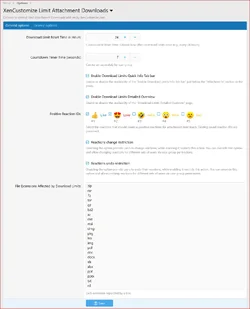
Admin options
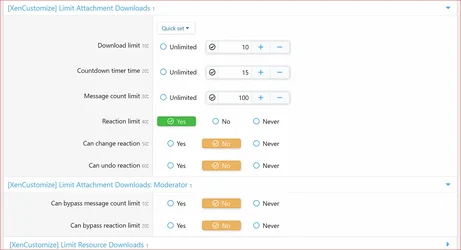
User group permissions
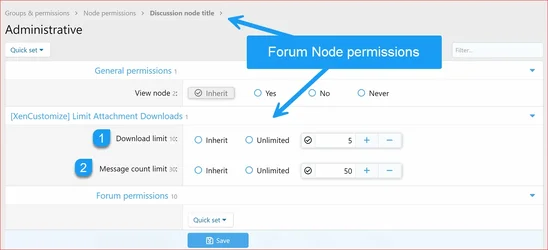
Forum node permissions
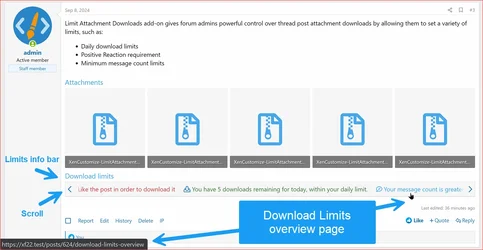
Info Tabs Bar
Clicking the links in the Info Tabs Bar opens the Download Limits Overview page in an overlay window:
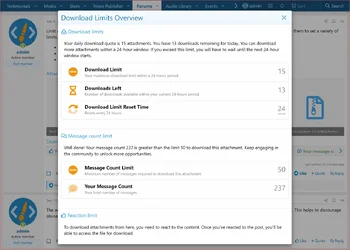
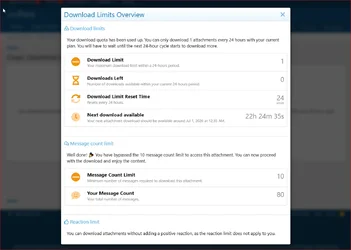
Download Limits Overview
User-friendly error pages explain and guide users through download limits and restrictions.
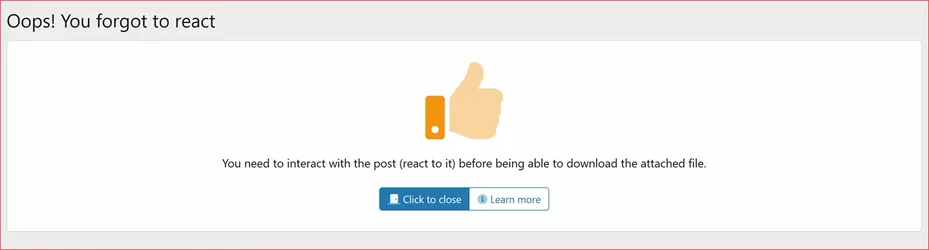
Reaction limit guidance
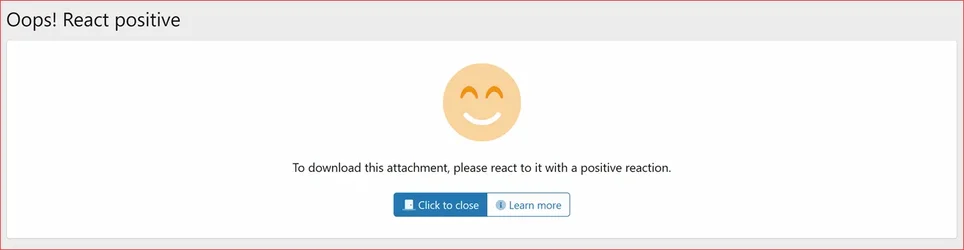
Positive reaction guidance
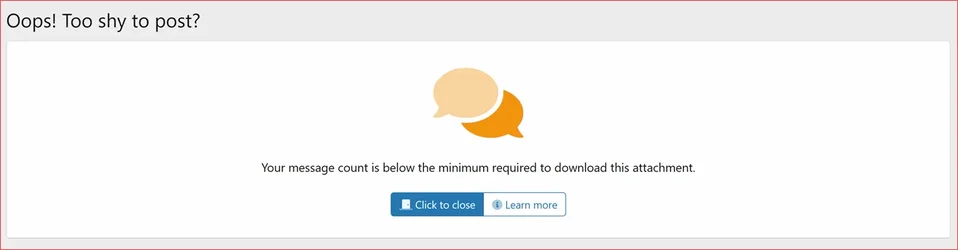
Message count limit guidance
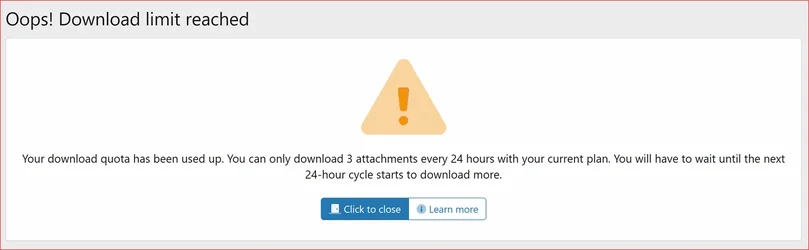
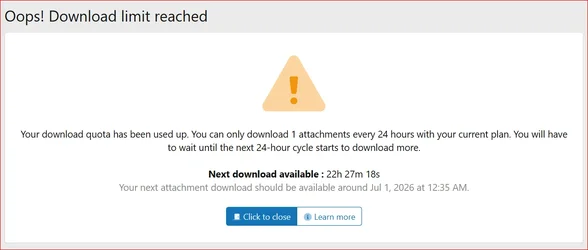
Download limit reached guidance
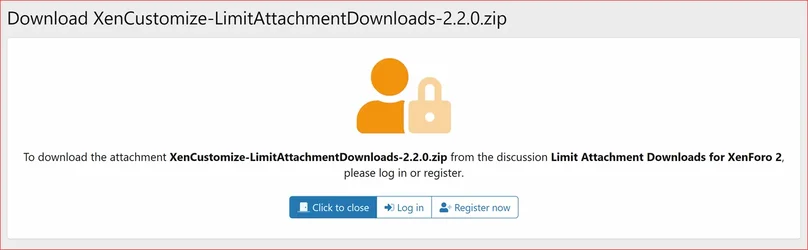
Guest download guidance

Reaction change restriction

Reaction undo restriction
If all conditions are met, clicking a protected attachment opens the download page. To start the countdown timer, click Get the download link.
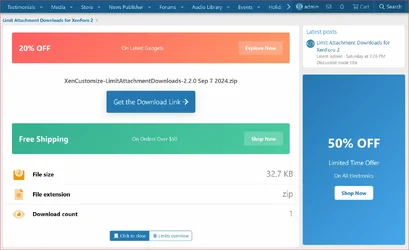
Countdown download page
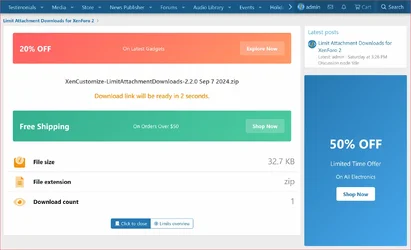
Countdown timer running
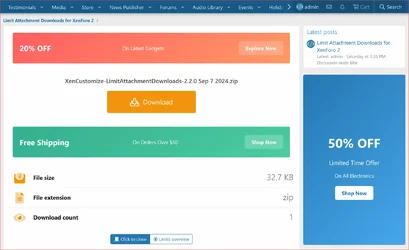
Final download button
Here is a video demo:
The addon includes built-in advertising positions for your convenience. You can place advertisements above or below the download area:
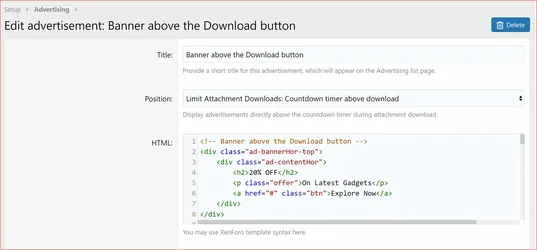
Countdown page ad position
The addon also includes a sidebar widget position on the download page. You can place ads, notices, or custom HTML widgets in the right sidebar.
 Feature documentation & screenshots
Click on each documentation thread below for additional details and screenshots where available.- Reaction Restrictions
- Usergroup Permissions
- Forum Node Permissions
- Download Limits
- Bypass Limits
- Info Tabs Bar for Download Limits
- Download Limits Overview Page
- User-Friendly Error Pages for Download Limits
- Admin Options
- Attachment Download Page
- Download Countdown Timer
- Pause Countdown Timer on Tab Switch
- Default Countdown Timer Duration
- Countdown Timer Time per Usergroup
- Built-in Advertising Positions
- Sidebar Widget Position
- Style Properties
 Need to confirm a specific feature?
If there is a particular workflow or use case you want to confirm before purchasing, please contact us first. We'll be happy to clarify what is currently included in the add-on. Visible Branding
- Yes, visible branding is included.
- Branding can be removed with an eligible branding-free license where applicable.
 Why XenCustomize?
XenCustomize has been building and supporting premium XenForo addons for years with a simple approach: quality over haste.Our product line includes larger systems such as Events Manager and News Publisher, along with focused community tools like Limit Attachment Downloads. Whether the addon is large or small, we care about stability and security, clear presentation, practical features, and long-term maintainability.
We do not chase product counts or rush releases just to meet a deadline. Updates are tested carefully on our demo and live sites before release, so customers receive addons that are built for real XenForo communities, not just written for a feature list.
We also try to describe our products clearly with detailed information and screenshots, so you can purchase based on what the addon does today. If a specific feature matters to your site and is not clearly mentioned, we always recommend contacting us before purchase.
You can also read customer feedback and product reviews here: XenCustomize Add-on Feedback and Reviews.
 License Agreement
![[XenCustomize] Forum Views](/data/resource_icons/0/165.jpg?1762672523)


![[XenGenTr] Resimli konu vitrini [English]](/data/resource_icons/0/149.jpg?1749969380)